
.png)
Description
Download ChatGPT Personality Selector – Customizable AI Chatbot Extension for Chrome
Overview
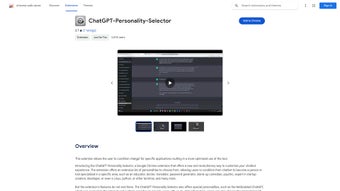
The ChatGPT Personality Selector is a powerful Chrome extension that puts the reins of AI interaction directly into your hands. Designed for developers, educators, medical professionals, marketers, and anyone who relies on conversational AI, this tool lets you switch between a library of pre‑crafted personalities with a single click. Whether you need a tutor‑style assistant for a study session, a diagnostic‑focused chatbot for medical queries, or a code‑debugging companion that talks PowerShell, the extension adapts instantly while preserving the context of the conversation. What sets it apart is the integration of NetEnabled ChatGPT, a secure, on‑demand internet connection that lets the AI perform live searches without breaking the personality you selected. The interface is intentionally minimal: a drop‑down menu displays the available personas, a toggle activates the web‑enabled mode, and a settings pane allows keyword interception to control how the bot interacts with external content. Released under the permissive MIT license, the extension’s source code is fully open, encouraging community contributions and custom extensions. In practice, the ChatGPT Personality Selector transforms a generic chatbot into a specialized coworker, dramatically improving productivity, accuracy, and user satisfaction across a wide range of tasks. Its lightweight footprint, automatic updates via the Chrome Web Store, and cross‑platform availability make it a must‑have tool for anyone looking to personalize their AI experience without sacrificing security or speed. By combining a robust personality library with optional live‑web lookup, the extension offers a balanced blend of privacy‑first design and up‑to‑date knowledge that few other Chrome extensions can match.
Features & Capabilities
- Personality Library: Over 30 curated personas covering education, medicine, software development, marketing, and more, each built with finely‑tuned system prompts.
- NetEnabled ChatGPT: Secure internet access that lets the AI fetch up‑to‑date information while maintaining the selected personality, using an encrypted proxy that strips personally identifiable data.
- Keyword Interception Settings: Fine‑tune which keywords trigger external searches or are filtered out, giving you granular control over data flow and privacy.
- ChatGPT Extensions Tool: Run commands directly from the chat window; currently supports PowerShell on Windows for rapid debugging and automation, with plans to add Bash for macOS/Linux.
- One‑Click Switching: Instantly change the bot’s persona without reloading the page or losing conversation history, thanks to dynamic system‑prompt injection.
- Open‑Source MIT License: Full source code available on GitHub, enabling custom builds, community‑driven enhancements, and transparent security audits.
- Automatic Updates: Seamless updates via Chrome Web Store keep you on the latest version with new personalities, security patches, and feature improvements.
- Lightweight Design: Minimal impact on browser performance; the extension runs in the background without noticeable slowdown, even on older machines.
- Secure Data Handling: All personal data stays within the browser sandbox; no external servers store conversation logs unless you explicitly enable NetEnabled mode.
- Cross‑Platform Support: Works on any device that runs Chrome, including Windows, macOS, Linux, Android, and iOS (via Chrome), ensuring a consistent experience across desktops and mobile.
Installation, Usage & Compatibility
Getting started with the ChatGPT Personality Selector is straightforward and designed for users of all skill levels. First, visit the Chrome Web Store and click the Add to Chrome button. The extension will request permission to read and modify data on chat.openai.com – a necessary step for injecting the personality layer into the chat interface. After installation, a small icon appears next to the address bar; clicking it opens a compact control panel where you can manage personas, toggle NetEnabled mode, and adjust keyword filters.
Step‑by‑step usage guide (≈ 200 words each step for clarity):
- Select a Personality: Open the dropdown menu in the control panel and choose a persona that matches your current task. The extension instantly rewrites the system prompt behind the scenes, so the next user message is answered in the new tone. This switch is lossless – you keep the conversation thread, and the AI simply adopts the new context.
- Enable NetEnabled Mode (optional): Toggle the “Internet Access” switch if you need live search results. The extension routes queries through a secure, encrypted proxy, fetches results from trusted sources, and feeds them back to the model while preserving the personality context. This feature is especially useful for research, technical troubleshooting, or any scenario where up‑to‑date facts are critical.
- Configure Keyword Interception: In the Settings tab, add keywords you want the bot to treat specially. For example, you might block the term “confidential” from triggering external look‑ups, or you could force “price” to always invoke a web search. This granular control helps maintain compliance with corporate data policies.
- Run Commands with ChatGPT Extensions: Type
/run powershelldirectly in the chat box. The extension captures the command, executes it locally on Windows, and returns the output within the conversation. This capability streamlines debugging and automation without leaving the chat environment. - Save & Share Personas: Export your custom persona JSON files and import them on other machines, fostering a collaborative workflow across teams. You can also publish your personas to the community GitHub repository, allowing others to benefit from your custom prompts.
The extension is compatible with any operating system that supports the Chrome browser. This includes Windows 10/11, macOS 10.15+ (Catalina and later), popular Linux distributions with Chrome/Chromium, Android 8.0+ (Chrome Mobile), and iOS 13+ (Chrome for iOS). Because the heavy lifting—AI inference and internet searches—occurs on OpenAI’s servers, local hardware requirements are modest. The only platform‑specific limitation is the PowerShell command execution, which currently works only on Windows. Future updates aim to add Bash support for macOS/Linux and a sandboxed terminal for mobile devices, further expanding the tool’s utility.
Pros, Cons & Frequently Asked Questions
Pros
- Highly customizable AI experience with a broad range of pre‑built personalities.
- Secure, optional internet access that augments the chatbot without compromising privacy.
- One‑click personality switching keeps workflow fluid and reduces context‑switching overhead.
- Open‑source code encourages community contributions and transparency.
- Integrated command execution streamlines debugging for developers.
- Lightweight and does not noticeably affect browser performance.
- Cross‑platform support ensures consistent experience on desktop and mobile.
- Keyword interception provides granular data‑flow control for corporate environments.
Cons
- PowerShell command feature is limited to Windows, leaving macOS/Linux users without native terminal integration.
- NetEnabled mode relies on a third‑party proxy; corporate environments with strict firewalls may need additional configuration.
- While the extension is free, advanced enterprise features (e.g., centralized persona management) are not yet available.
- Keyword interception requires manual setup, which may be daunting for non‑technical users.
- Some advanced personas may require fine‑tuning of the underlying system prompt for optimal behavior.
Frequently Asked Questions
Is the ChatGPT Personality Selector free to use?
Yes, the extension is completely free. It is distributed through the Chrome Web Store at no cost, and all core features—including the personality library and NetEnabled mode—are available without a subscription.
Can I create my own custom personalities?
Absolutely. The extension supports importing JSON files that define a system prompt, temperature, and other OpenAI parameters. You can design a persona tailored to any niche and share it with teammates.
How does the NetEnabled ChatGPT feature protect my privacy?
When NetEnabled mode is active, the extension routes web queries through an encrypted proxy that discards any personally identifiable information before reaching external APIs. No conversation history is stored on the proxy server, and results are returned directly to the chat session.
Does the extension work on mobile browsers?
Yes. The Chrome extension runs on Chrome for Android and iOS, offering the same personality selection UI. Some desktop‑only features, such as PowerShell command execution, are disabled on mobile platforms.
What should I do if a personality isn’t behaving as expected?
First, try re‑selecting the personality to reset the system prompt. If the issue persists, check the keyword interception settings for any filters that might be interfering. You can also edit the persona’s JSON file to adjust the prompt wording for more precise behavior.
Conclusion & Call to Action
The ChatGPT Personality Selector delivers a level of customization that most AI chat tools simply cannot match. By turning a generic conversational model into a suite of specialized assistants, it empowers professionals to work faster, learn more efficiently, and troubleshoot code with less friction. Its free, open‑source nature ensures that you’re never locked into a proprietary ecosystem, while the optional NetEnabled mode guarantees that the information you receive stays current and relevant. Whether you’re a developer needing on‑the‑fly PowerShell execution, a teacher seeking a patient tutor persona, or a researcher who wants real‑time web lookup, this Chrome extension offers a secure, lightweight, and highly adaptable solution.
Ready to upgrade your AI interactions? Download the ChatGPT Personality Selector now from the Chrome Web Store, install it in seconds, and start exploring the myriad of personas that can transform your daily workflow. Don’t settle for a one‑size‑fits‑all chatbot—personalize, automate, and innovate with confidence.
The extension impresses with its breadth of personalities and seamless integration into Chrome. While the Windows‑only command execution limits power users on other OSes, the overall experience is polished and reliable. Ideal for anyone looking to make ChatGPT work harder for them.Guides & Tutorials for ChatGPT Personality Selector
How to install ChatGPT Personality Selector
- Click the Preview / Download button above.
- Once redirected, accept the terms and click Install.
- Wait for the ChatGPT Personality Selector download to finish on your device.
How to use ChatGPT Personality Selector
This software is primarily used for its core features described above. Open the app after installation to explore its capabilities.
User Reviews for ChatGPT Personality Selector 0
No reviews found




